HealthBuddy
A smart pediatric health & wellness companion — built with Flutter, designed for children, trusted by parents.
App Screens
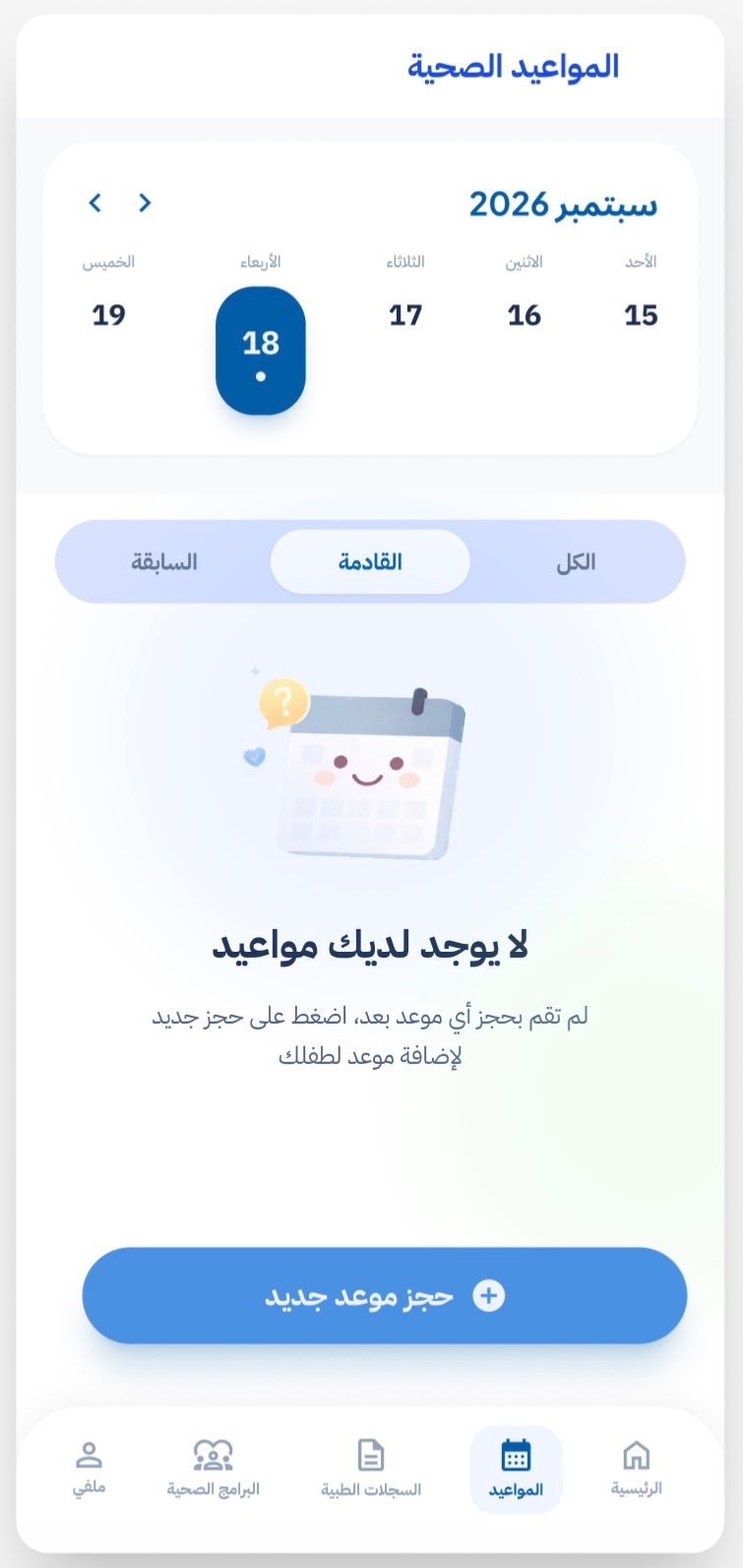
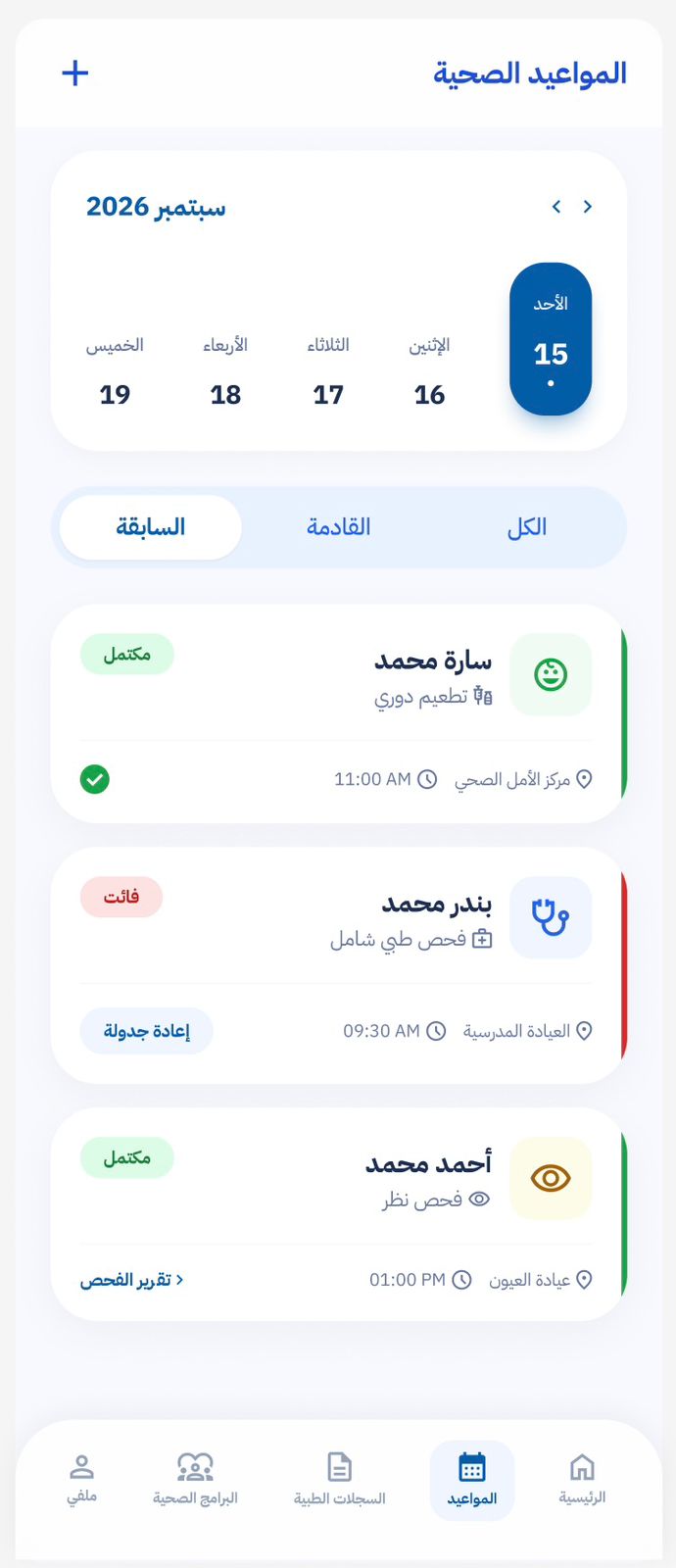
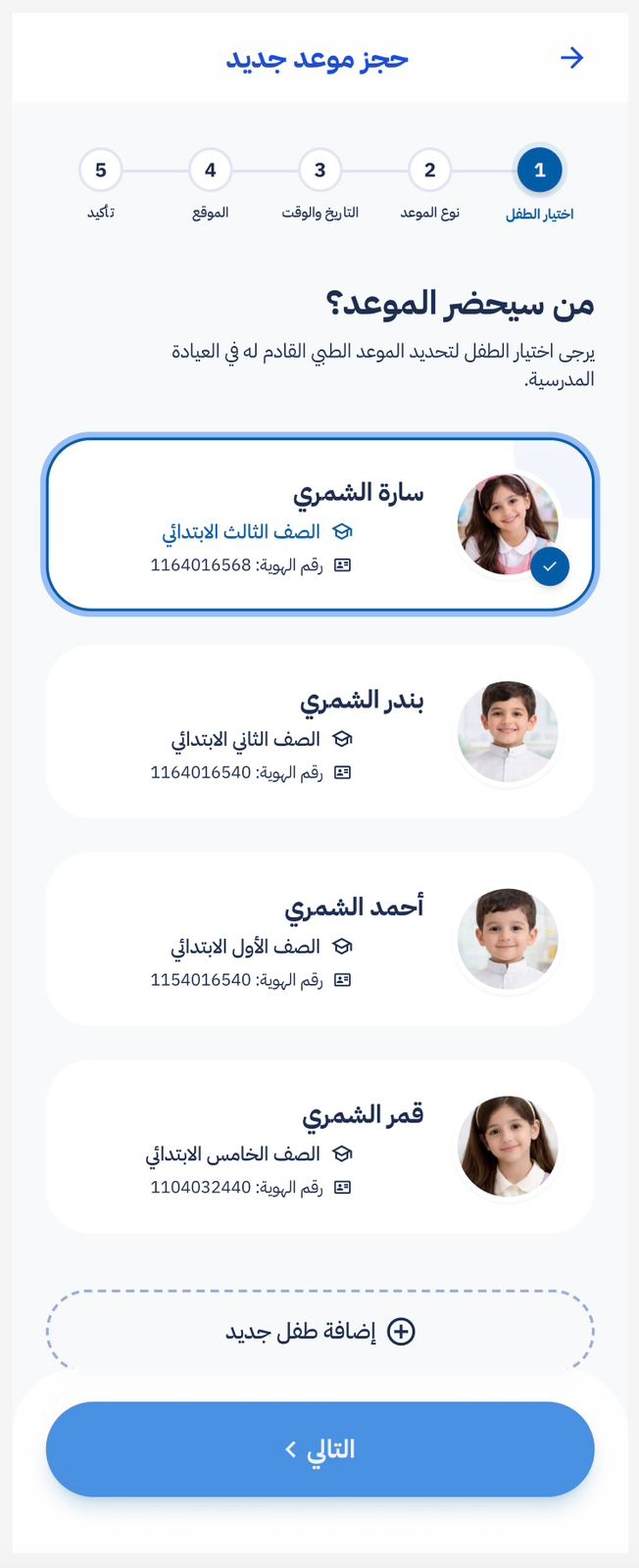
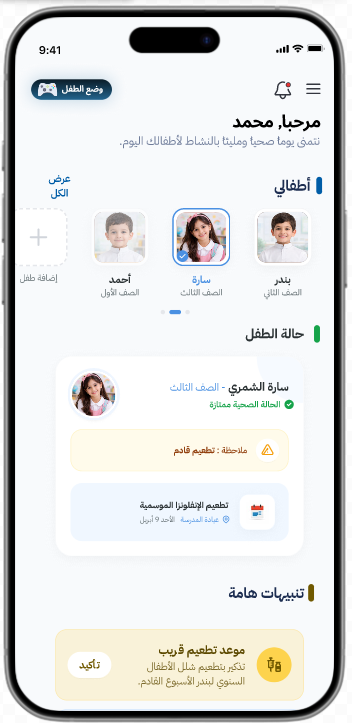
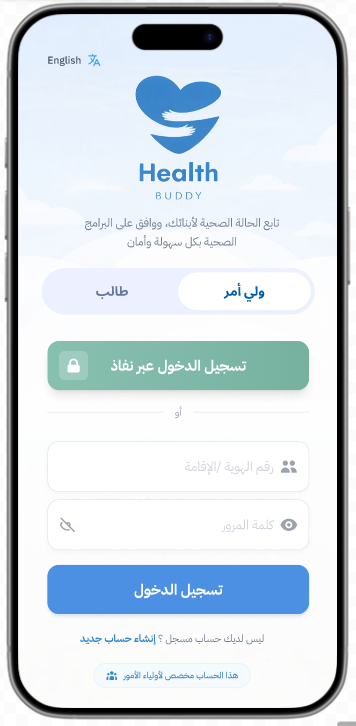
What is HealthBuddy?
HealthBuddy is a smart mobile application designed to support children's health monitoring and encourage healthier lifestyles through engaging, educational experiences. The platform simplifies tracking children's health conditions while delivering awareness programs and motivational wellness content — developed in collaboration with school student health affairs departments.
Built as my graduation project, HealthBuddy represents a full product lifecycle — from HCI research and user-centered design through to a production-ready Flutter application. The project was developed over two academic semesters with a dedicated focus on usability, accessibility, and child-friendly interaction design.
Project Snapshot
- TypePediatric Health & Wellness App
- Duration~1 Academic Year (2 Semesters)
- Screens10+ unique screens
- Design ToolFigma
- FrameworkFlutter (Dart)
- CollaborationSchool Health Affairs Dept.
The Problem
Fragmented Health Tracking
Parents had no unified digital tool to monitor their children's health conditions, appointments, and wellness progress — information was scattered across paper records and disconnected systems.
Lack of Health Awareness
Children lacked engaging, age-appropriate resources to learn about healthy habits. Existing health education was static, text-heavy, and failed to capture young attention.
Disconnected School-Home Health Loop
School health affairs departments had no digital bridge to communicate wellness programs, health alerts, or appointment reminders directly to families.
How HealthBuddy Solves It
Unified Health Dashboard
A single home screen consolidates health metrics, upcoming appointments, and wellness updates — giving parents a complete picture of their child's health at a glance.
Gamified Health Education
Interactive educational games transform health awareness into an engaging experience for children — making learning about nutrition, hygiene, and wellness genuinely fun.
School-Health Integration
Direct collaboration with school health affairs departments ensures wellness programs and health alerts flow seamlessly from school to home through the app.
Smart Reminders & Booking
Intelligent notifications for medications and appointments, paired with a frictionless booking system, keep families proactive rather than reactive about children's health.
Flutter Developer · UI/UX Designer
HCI Team Leader
I served as the HCI section leader for approximately one academic year — spanning two full semesters — where I was responsible for guiding the entire user experience direction of the project. This leadership role placed me at the intersection of research, design, and development, ensuring every product decision was grounded in real user needs.
- Led HCI research across 2 semesters: user studies, persona development, and usability testing
- Directed interface consistency, accessibility standards, and user-centered design decisions
- Designed all screens in Figma — from wireframes and user flows to high-fidelity prototypes
- Developed the full Flutter application with clean, maintainable architecture
- Conducted usability testing sessions and translated findings into iterative design improvements
- Collaborated with school health affairs departments to align features with real institutional workflows
- Performed accessibility audits ensuring WCAG-compliant, child-friendly interaction patterns
Responsible for the full HCI lifecycle — from initial user research through final usability validation — across two complete academic semesters.
Design Process
Discover
User interviews with parents and school health coordinators, competitive analysis, and pain point mapping to understand real pediatric health needs.
Define
User personas for children and parents, journey maps, information architecture, and HCI-grounded problem framing across Semester 1.
Design
Child-friendly wireframes → accessible component library → high-fidelity Figma prototypes with interactive flows for both user types.
Deliver
Flutter implementation, usability testing sessions, iterative refinements based on real feedback, and final accessibility audit in Semester 2.
Human-Computer Interaction Considerations
Child-Centered Interaction Design
- Large, clearly labelled touch targets (min 48×48dp) for small hands
- Icon-first navigation reducing reliance on reading ability
- Playful micro-animations providing immediate feedback on interactions
- Simplified language and visual metaphors appropriate for children
Usability Testing & Iteration
- Conducted Think Aloud sessions with target users across both semesters
- Identified and resolved critical usability issues through iterative testing
- Applied Nielsen's heuristics as evaluation framework throughout design
- Documented findings and translated them into measurable design improvements
Dual-Audience UX Architecture
- Separate interaction layers for children (playful) and parents (informational)
- Role-based navigation ensuring each user type sees relevant content first
- Consistent visual language bridging both experiences without confusion
- Parental controls and oversight features integrated non-intrusively
Cognitive Load Management
- Progressive disclosure — complex health data revealed only when needed
- Chunked information architecture preventing overwhelm on health screens
- Consistent navigation patterns reducing learning curve across all screens
- Clear visual hierarchy guiding attention to the most critical health info
User Experience & Accessibility
Accessibility Standards
- WCAG 2.1 AA colour contrast ratios across all screens
- Semantic labels on all interactive and informational elements
- Scalable text supporting system font size preferences
- Screen reader compatibility for visually impaired parents
Performance & Perception
- Skeleton loading states reducing perceived wait time for health data
- Smooth 60fps animations that feel native on both iOS and Android
- Optimistic UI updates for instant feedback on booking actions
- Cached assets for fast re-renders on repeated screen visits
Emotional Design
- Warm, child-friendly iconography and encouraging micro-copy
- Celebratory animations on health goal completions and milestones
- Empathetic empty states that guide rather than frustrate users
- Color palette chosen to feel calming, trustworthy, and health-positive
Inclusive Design
- Designed for diverse family structures and cultural contexts
- Bilingual-ready architecture supporting future localization
- Low-literacy-friendly visual communication throughout
- Tested with users of varying digital literacy levels
Development Process
📱 Flutter Architecture
- Clean architecture with separation of UI, business logic, and data layers
- Reusable widget library for consistent child-friendly UI components
- State management ensuring smooth transitions between health screens
- Platform-adaptive UI respecting iOS and Android design conventions
🔄 Iterative Development
- Semester 1: Research, wireframing, prototyping, and initial usability testing
- Semester 2: Flutter development, refinement cycles, and final validation
- Regular design-development sync to ensure pixel-perfect implementation
- Version control with Git for collaborative team development
Key Features
Health Dashboard
A centralized home screen giving parents and children quick access to health insights, upcoming appointments, and wellness progress at a glance.
Wellness Programs
Curated health awareness content and wellness programs developed in collaboration with school student health affairs departments.
Appointment Booking
Seamless scheduling system allowing parents to book pediatric appointments with real-time availability and confirmation.
Smart Notifications
Intelligent reminders for medication schedules, upcoming appointments, and health milestones — keeping families on track effortlessly.
Educational Games
Interactive, child-friendly games designed to teach healthy habits through engaging gameplay — making wellness fun and memorable.
Accessibility-First
Designed with WCAG-compliant contrast, scalable text, and child-friendly interaction patterns to ensure usability for all ages and abilities.
Tech Stack
Challenges & Solutions
Designing for dual audiences — children and parents
Created two distinct interaction layers: a playful, icon-heavy interface for children and a data-rich, information-dense view for parents — both accessible from the same app with role-based navigation.
Ensuring child-safe and accessible interaction patterns
Applied HCI principles including large touch targets (min 48×48dp), high-contrast color schemes, simple language, and gamified feedback loops to keep children engaged without cognitive overload.
Coordinating HCI research across a full academic year
As HCI section leader, I structured the research into two semester phases: Semester 1 focused on user research, persona development, and usability testing; Semester 2 on iterative design refinement and accessibility audits.
Integrating school health affairs collaboration into the UX flow
Conducted stakeholder interviews with school health coordinators to map real workflows, then designed the wellness programs section to mirror their existing processes — reducing adoption friction.
Final Outcome
HealthBuddy stands as my most comprehensive project — a graduation-level product that demonstrates my ability to lead an HCI research process, design a child-centered user experience, and deliver a production-ready Flutter application. Over two academic semesters, I grew from a designer-developer into a product thinker who understands how research, design, and engineering must work in harmony to create technology that genuinely improves lives.